



Xiaomi Mijia Smart Standing Fan Pro Slim EU
VAT included.
In stock
A fan runs three months a year and gets in the way for the rest of it. The Xiaomi Mijia Smart Standing Fan Pro Slim tackles that second part: the head is just 8.7 cm thin, and after summer it comes apart into a storage case that even fits in your car boot.
Despite that slim design, the airflow reaches up to 14 metres, and with 90° oscillation the whole seating area gets a share of it. On the lowest setting you'll barely hear it at 26.8 dB, so it's perfectly fine to run in the bedroom too. In the Xiaomi Home app you can set the speed in 100 steps and choose from eight natural breeze modes.
Power comes through a Type-C port, with an 18W adapter in the box. No outlet nearby? On a 10,000 mAh power bank the fan runs for up to 22 hours, handy in the garden or while camping. You control it with the magnetic remote, the app or your voice via Alexa or Google Assistant.
Your payment details are processed securely. We do not store credit card information and have no access to this data.
Share This Product


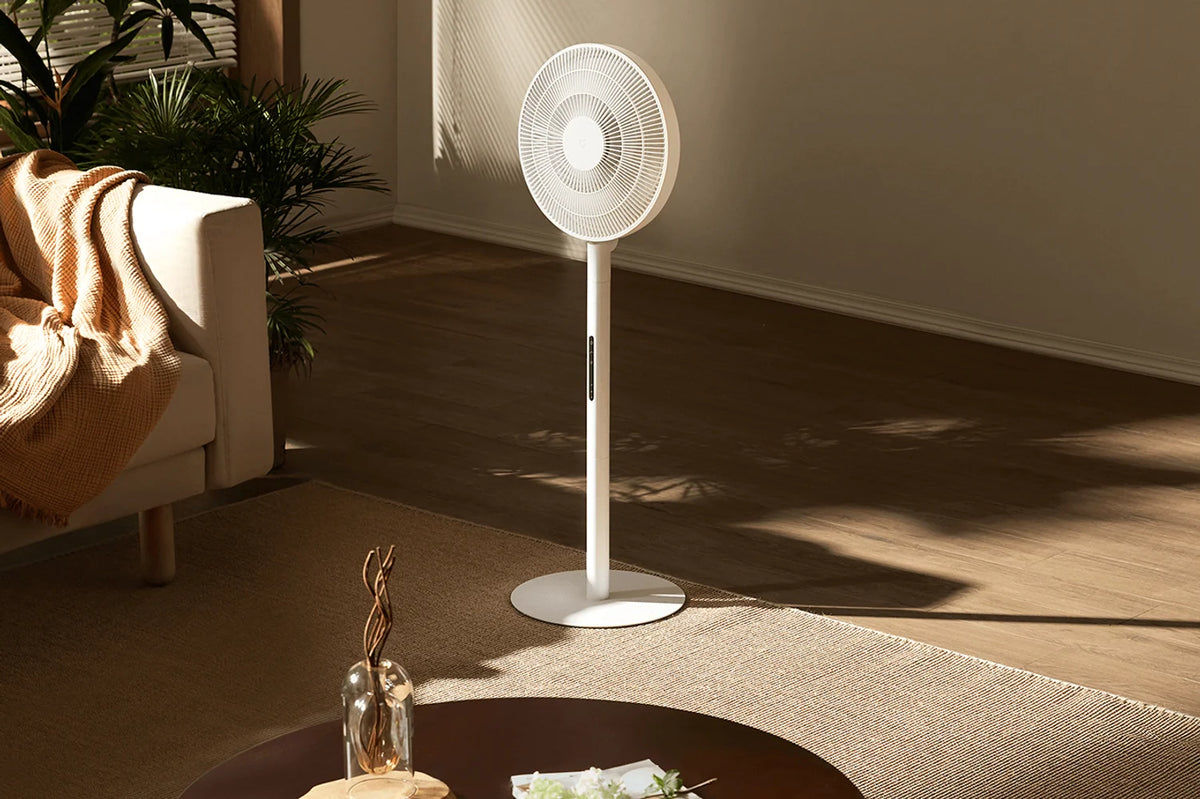
Air all the way to the other side of the room
Seven fan blades with an aircraft-wing profile move up to 25 m³ of air per minute. That airflow reaches up to 14 meters, so you feel the breeze on the other side of the living room too. The fan doesn't have to sit right next to your couch.
With 90° oscillation, the head turns back and forth and spreads the air across the entire seating area instead of just one chair. If you'd rather direct the air at one spot, just turn off the oscillation.
When the air conditioning is on, the Xiaomi Mijia Smart Standing Fan Pro Slim helps spread the cool air through the room. That way, it's not only the corner by the AC that cools down, but the whole space.
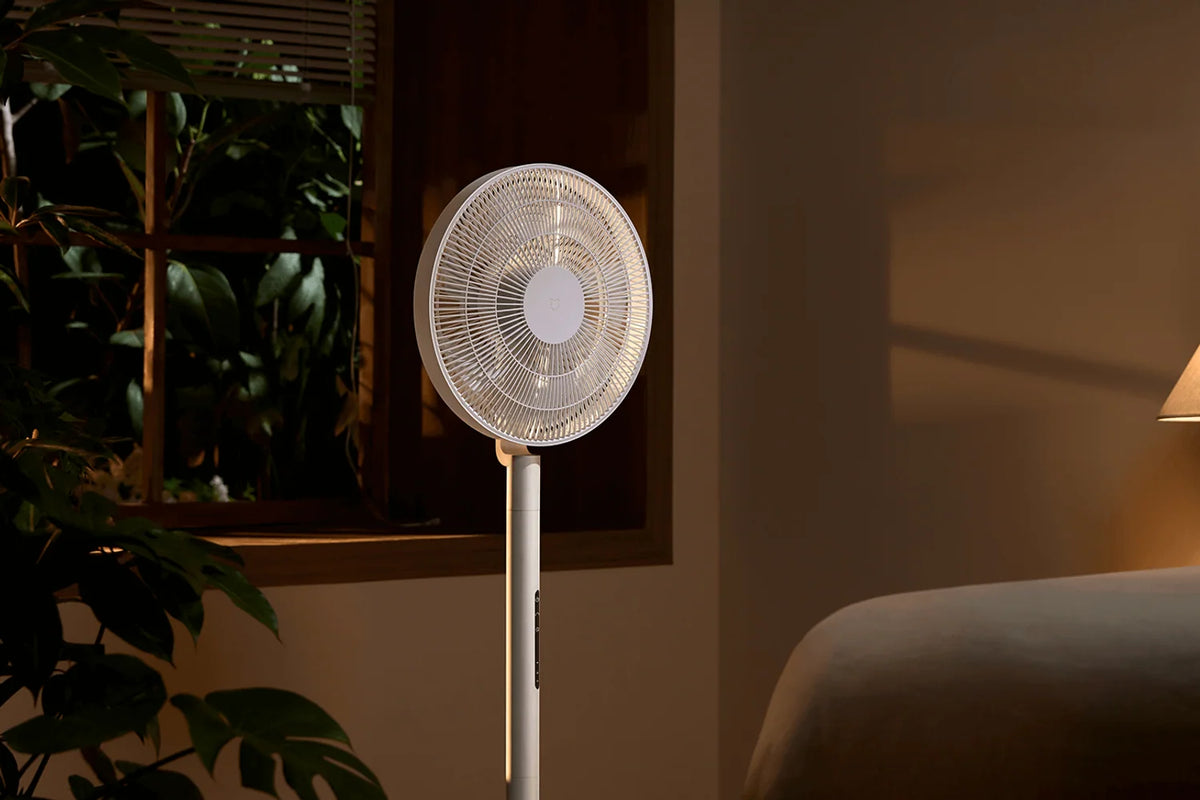
A hundred settings, barely any sound
In the Xiaomi Home app you can choose from 100 speeds. The fan itself has four buttons: these set it to level 1, 35, 70 or 100.
On level 1 without oscillation it produces 26.8 dB. In a quiet bedroom you'll barely hear it, so it can simply stay on all night. Power consumption is then 1.9W: eight hours a night, an entire summer long, costs less than one and a half kWh.
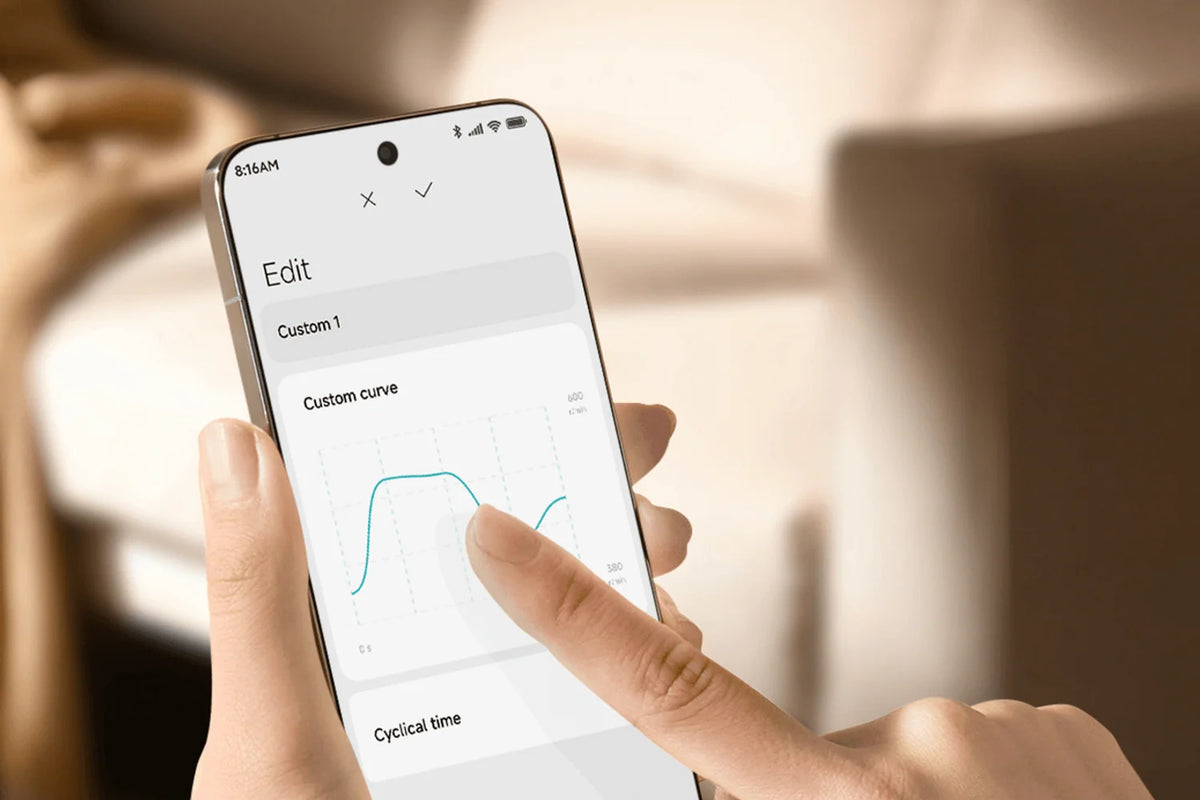
In the app you'll also find eight natural breeze modes, like at the beach, on a mountaintop or by a lake. They're based on real outdoor wind measurements, which makes the airflow feel irregular, just like real wind. With your own wind curve you decide the speed and rhythm yourself.
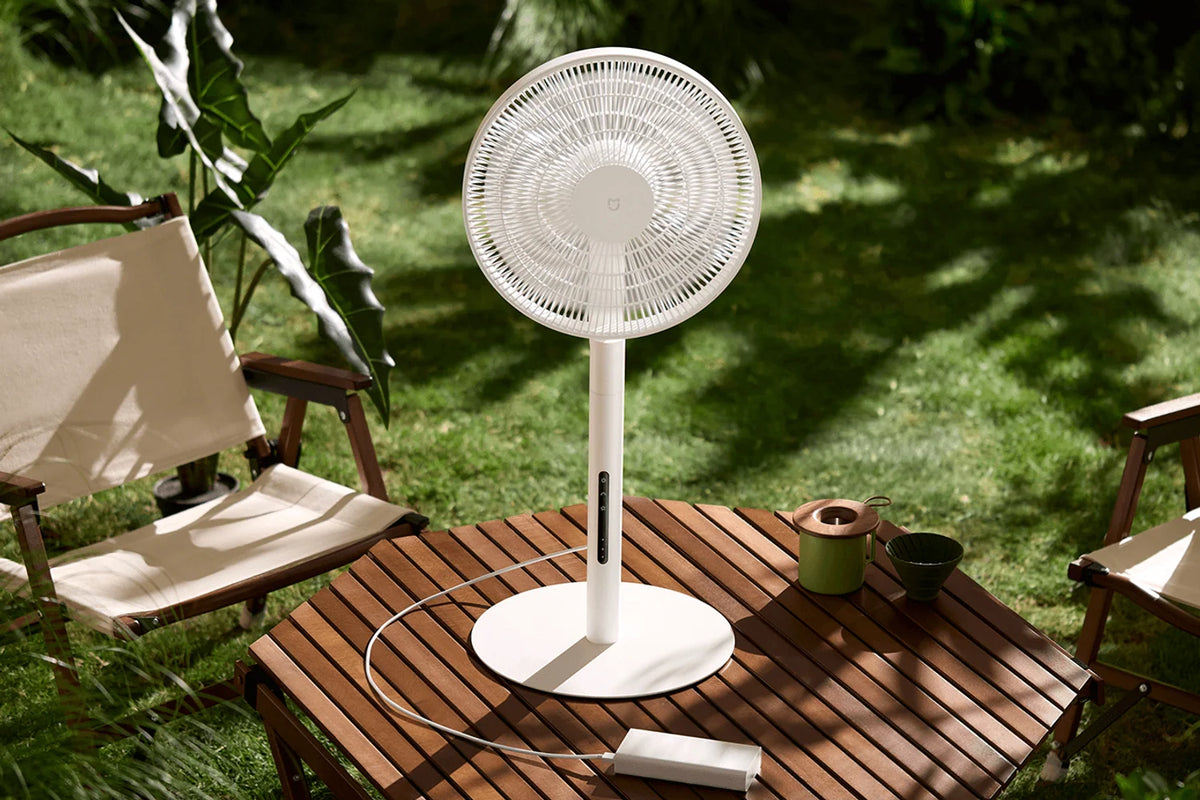
Works without a power outlet too
The fan is powered through a universal Type-C port. The box includes an 18W adapter for home use, so you can get started right away.
That same port also accepts a power bank. On a 10,000 mAh power bank, the Pro Slim runs up to 22 hours on the lowest setting without oscillation. That way you can take it out into the garden or to the campsite, without an extension cord running through the grass.
Do make sure to pick a power bank with QC or PD fast charging of at least 18W, capable of delivering 9V or 12V. With a weaker power bank, only two settings remain, the natural breeze drops out, or the fan won't start at all.
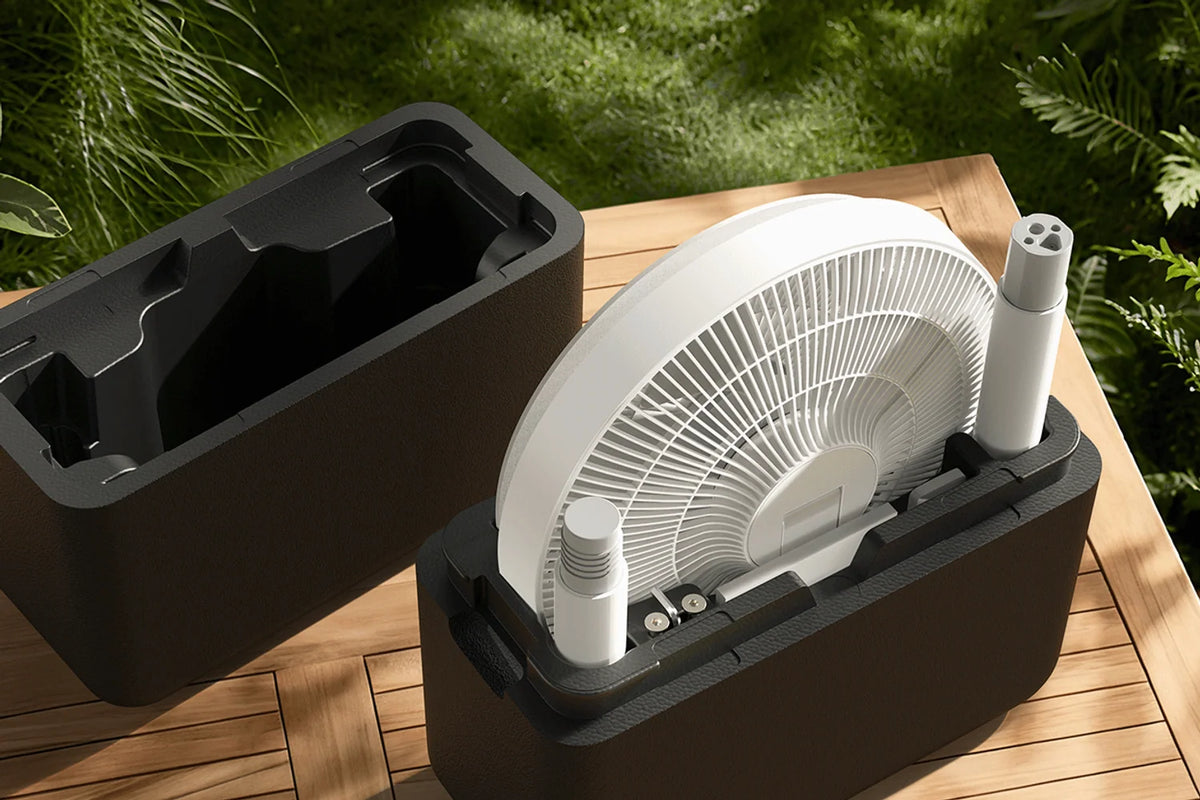
Pack it in your suitcase after summer
The design is modular. The fan comes apart and then fits into the included storage case made of sturdy EPP foam. That case takes up little room in your closet and also goes along in the trunk.
At 8.7 cm, the head is 63% thinner than that of the Mi Smart Standing Fan 2. The whole thing weighs 3.3 kg, so you can lift it from the living room to the bedroom with one hand. A metal base 3 mm thick keeps it stable.
The height is adjustable. Next to the couch, it works as a one-meter-tall standing fan, and set lower it fits on a table or desk. You remove the front cover to clean the blades.
Control it however suits you
The stand has touch buttons. You also get a Bluetooth remote that clicks magnetically onto the fan, so you won't lose it. Out in the open it works up to 30 metres away. A battery isn't included.
Via WiFi you connect the fan to the Xiaomi Home app. There you set the speed per level, pick a breeze mode and create your own wind curve. You can also control it with your voice through Alexa or Google Assistant.
Got little kids around? Then turn on the child lock in the app. The fan can then only be operated through the app, so curious fingers on the buttons won't do a thing.
How to Use the Xiaomi Mijia Smart Standing Fan Pro Slim
Out of the box, assembled, and connected to the app. Walk through these steps once, and you'll also know exactly what you need for a power bank.
Step 1: Assemble the fan
Step 1: Assemble the fan
Take the parts out of the storage case: base, lower and upper pole, and the head. Using the included Allen key and the M8 bolt, you'll have them secured in just a few minutes. The manual shows you how to lower it for tabletop use.
Step 2: connect the power
Step 2: connect the power
Plug the Type-C cable into the fan and the 18W adapter into the power outlet. Put a battery in the remote control – it's not included – and click it magnetically onto the fan.
Step 3: Connect with the Xiaomi Home app
Step 3: Connect with the Xiaomi Home app
Add the fan to the Xiaomi Home app. It connects via 2.4 GHz Wi-Fi, so choose that network if your router also broadcasts 5 GHz. After that you can also link it to Alexa or Google Assistant.
Step 4: choose your setting
Step 4: choose your setting
The four buttons on the fan correspond to settings 1, 35, 70 and 100 in the app. If you want something in between, or a natural breeze mode, you can set that up in the app.
Step 5: Are you using a powerbank?
Step 5: Are you using a powerbank?
Choose a power bank with QC or PD fast charging, at least 18W and a 9V or 12V output. With a lighter power bank you'll only get two settings and no natural breeze, or the fan won't start.
Step 6: for nighttime and outdoors
Step 6: for nighttime and outdoors
Setting 1 without oscillation is the quietest combination, at 26.8 dB. Outdoors, don't place the fan in spots with splashing water, such as next to a kiddie pool, and not in dusty areas either.
Service just as important as the product
We think service matters just as much as the product itself. Our customer service team knows every product inside and out and has tested them personally, so you always get honest, expert advice. We also run our warehouse entirely in-house.
Everything happens under our own roof. That way we keep a firm grip on quality and get your order to you quickly and carefully.
Order before 8:00 PM on a business day and if the product is in stock, you'll have it the next business day in the Netherlands and Belgium.
Why choose TechPunt?

Free shipping
All orders over €75 are delivered to your home at no extra cost.

Easy Returns
Enjoy the freedom of worry-free shopping thanks to our simple return policy.

Expert Advice
Our team tests every product themselves, so you always get honest and independent advice.
FAQ about the Xiaomi Mijia Smart Standing Fan Pro Slim
Everything you want to know before you order. Can't find your question here? Our customer service is happy to help you.
How quiet is the Xiaomi Mijia Smart Standing Fan Pro Slim?
How quiet is the Xiaomi Mijia Smart Standing Fan Pro Slim?
On setting 1 without oscillation, the Xiaomi measures 26.8 dB. That means it can simply stay on overnight in the bedroom. At higher settings, the sound increases.
Can the Xiaomi Mijia Smart Standing Fan Pro Slim run on a power bank?
Can the Xiaomi Mijia Smart Standing Fan Pro Slim run on a power bank?
Yes. Through the Type-C port, it works with a power bank that supports QC or PD fast charging of at least 18W and a 9V or 12V output. On a 10,000 mAh power bank, it runs up to 22 hours on the lowest setting.
Does the Xiaomi Mijia Smart Standing Fan Pro Slim have a built-in battery?
Does the Xiaomi Mijia Smart Standing Fan Pro Slim have a built-in battery?
No. Power comes from the included 18W adapter or from a power bank. Looking for a fan with a built-in battery? Then check out the Xiaomi Smart Standing Fan 2 Pro.
How much power does the Xiaomi Mijia Smart Standing Fan Pro Slim use?
How much power does the Xiaomi Mijia Smart Standing Fan Pro Slim use?
At the highest setting, a maximum of 15W. On setting 1 without oscillation, that's 1.9W. Eight hours a day, for 90 days, comes out to about 1.4 kWh for an entire summer.
How far does this fan blow?
How far does this fan blow?
The airflow reaches up to 14 meters, with an air displacement of 25 m³ per minute. With 90° oscillation, it distributes the air across the entire seating area.
Does the Xiaomi Mijia Smart Standing Fan Pro Slim work with Alexa and Google Assistant?
Does the Xiaomi Mijia Smart Standing Fan Pro Slim work with Alexa and Google Assistant?
Yes. You first connect it to the Xiaomi Home app via 2.4 GHz WiFi. After that you can also control it with your voice through Alexa or Google Assistant.
How do you store the fan after summer?
How do you store the fan after summer?
You take it apart and place the parts in the included EPP foam storage case. It takes up little space and also fits in the trunk, handy when you bring it along on vacation.
What's in the box of the Xiaomi Mijia Smart Standing Fan Pro Slim?
What's in the box of the Xiaomi Mijia Smart Standing Fan Pro Slim?
The head, the lower and upper pole, the base with connector, an 18W adapter, an Allen key, an M8 bolt, the remote control (without battery), the storage case and the manuals.
Still unsure about the Xiaomi Mijia Smart Standing Fan Pro Slim?
Call, email or chat with our team. We'll help you think about the spot in your home, using it with a power bank, and which Xiaomi fan suits you best.


